Loading works…

Mailer
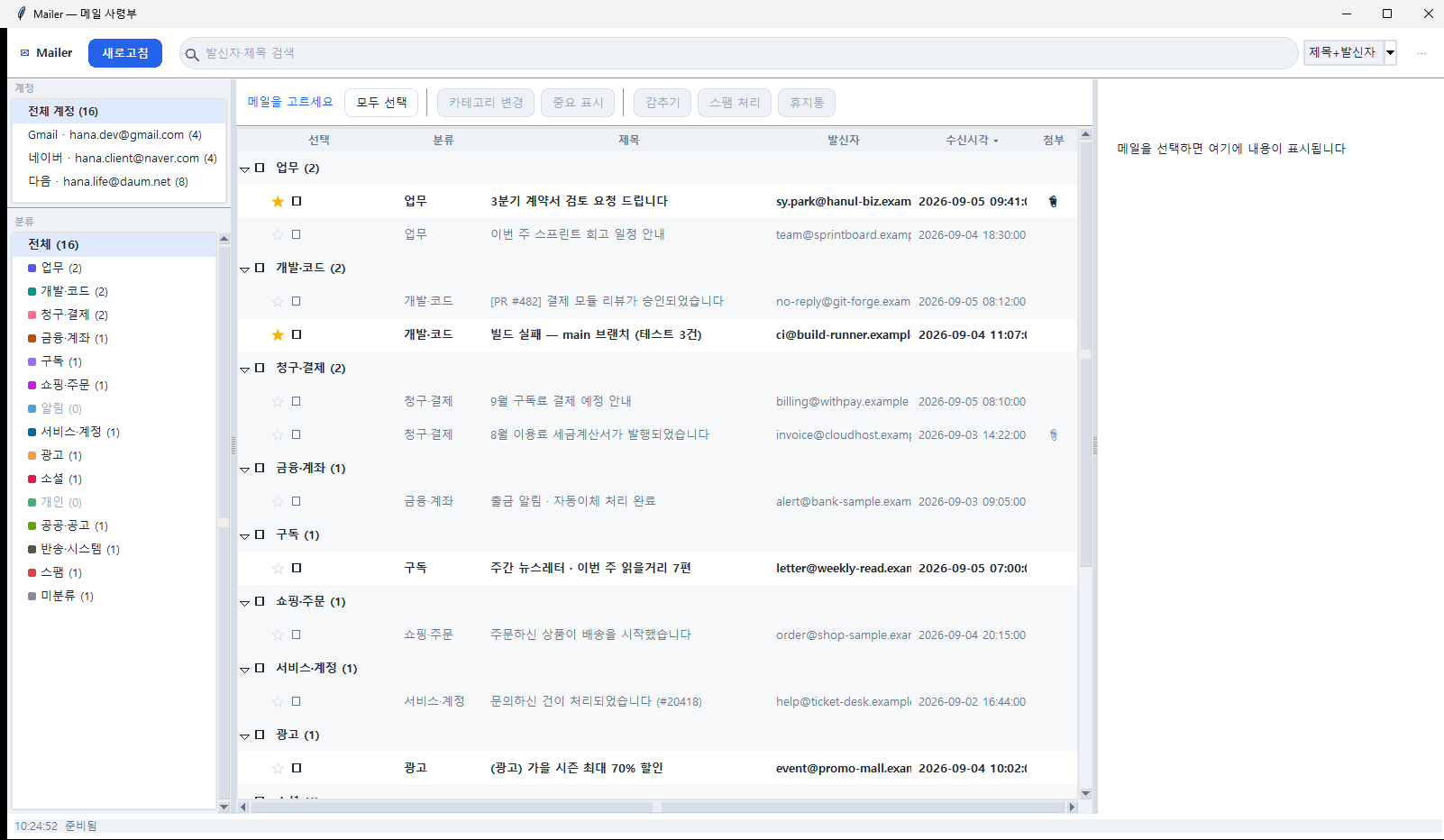
A desktop app that gathers several mail accounts onto one screen and sorts what can be ignored from what cannot. Rules classify first; a correction I make becomes a rule for that sender and is applied retroactively to mail already fetched. There is no server, and nothing is ever deleted permanently.
Screenshots
Why I built it
Gmail for work, Naver for contacts, Daum for personal. Three scattered accounts means one of them always goes unopened, and the mail that mattered gets buried under advertising.
Rather than install a new mail client and migrate everything, I built a tool that tidies the accounts I already use, on one screen.
Rules first, LLM later
Hand classification to an LLM from the start and the results are unpredictable while the cost scales with the number of messages.
So sender, domain and keyword rules decide first. The rules live in JSON, not in code. If they answer, that is the answer, and it cost nothing.
A correction becomes a rule
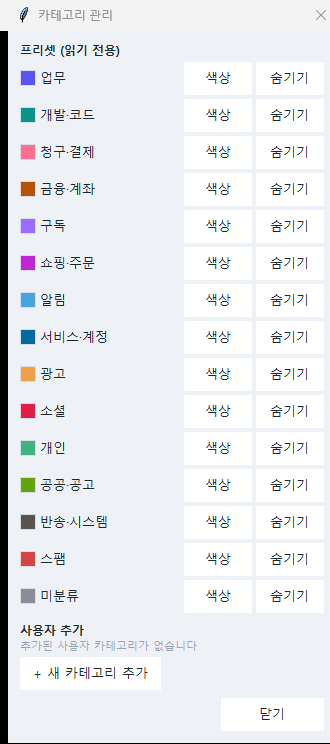
Assign a category to an unclassified message and that sender is saved as a rule, so the next message from them sorts itself. Where the sender alone cannot decide, subject context is learned statistically instead, and when the evidence is thin it holds the message as unclassified rather than guessing wrong.
What matters is what happens next: whenever learning occurs, everything already fetched is reclassified. Otherwise you get a tool that sorts well "starting today" while yesterday's pile stays yours to clear by hand.
A full reapplication runs in 0.05 to 0.10 seconds over a real 4,488-message set. It started at 39.6 seconds for 3,636 rules because each one committed separately; batching 500 at a time brought it to 0.1 seconds.
If the same sender has been filed under conflicting categories, no rule is created for them at all and any existing one is withdrawn. A sender who genuinely goes both ways belongs in "unclassified", not forced into one bin.
Built so it can be undone
Classification gets things wrong. So the app never deletes permanently. Even a spam verdict goes no further than the server's trash. Any misjudgement can be walked back.
Message bodies are not stored. Only headers (sender, subject, date, flags) are kept, and the body is fetched when you open it. Remote images in HTML mail are blocked by default, with a banner offering to allow them just this once.
It does not ask you for an IMAP port
The first version of the setup screen had fields for server address and port. Anyone who can fill those in does not need this tool.
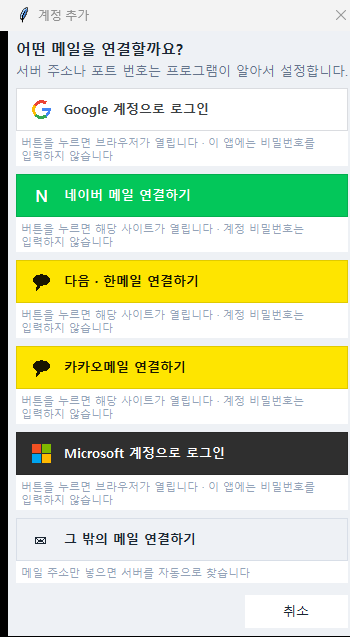
Now there are only provider buttons. Gmail and Microsoft open a browser; Naver, Daum and Kakao take an app-specific password issued on their own site. Either way, there is no screen inside this app that asks for your account password. For a provider not on the list, the mail address alone is enough to discover the server.
Where it stands
Five days in. Multi-account setup, fetching, classification, learning, search and trash all work, and the layout was recently rebuilt into three panes. This is a working MVP, not a finished product.
About 12,400 lines across 47 Python files, about 9,300 lines across 42 test files, and a ten-chapter design document. core/ never imports tkinter and ui/ holds no analysis logic. That invariant is deliberate, so that core/ survives a later move to mobile.